Transcript
0:00 Intro
Strybai puts AI to work on the busywork, so updating your CRM and your plan takes seconds, not minutes.
0:09 One sentence
What if keeping your CRM and your plan up to date took one sentence? In Strybai, it does.
0:17 Log a call
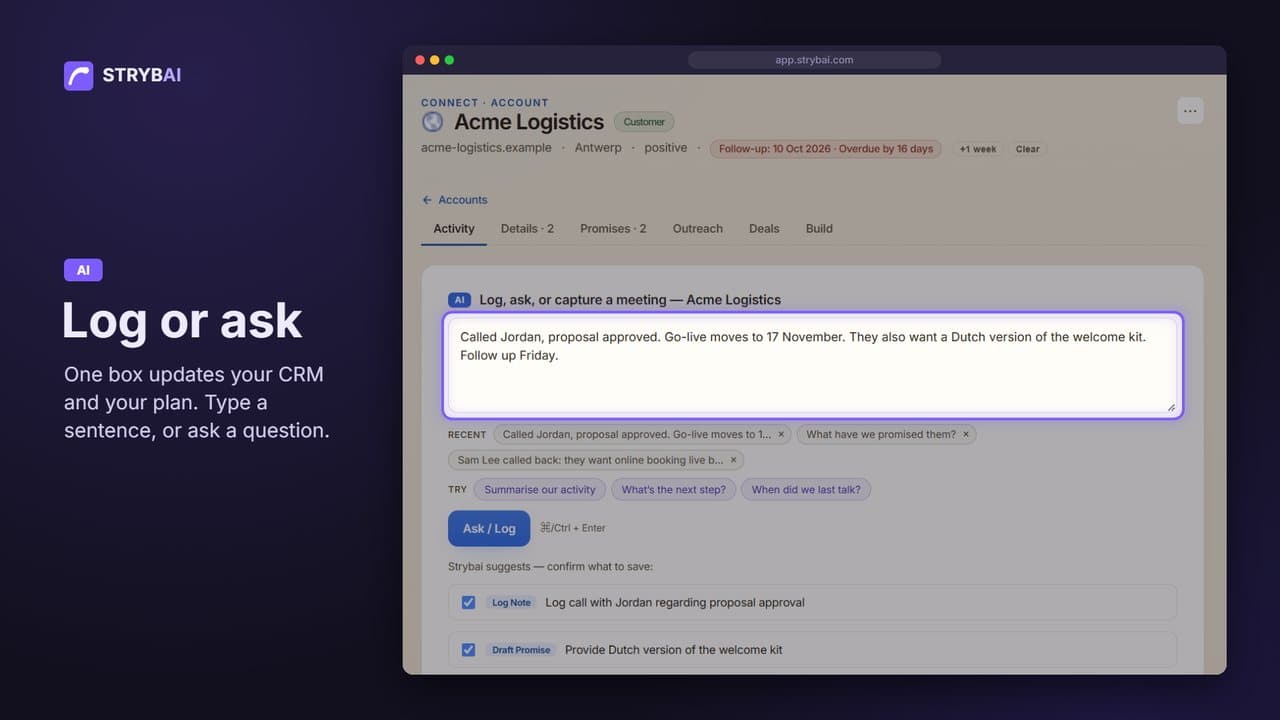
On any account, type what happened, the way you would tell a colleague. Strybai suggests what to save: the call, a promise, and a follow-up on Friday. Untick anything you don’t want. Nothing is saved until you click Save.
0:34 Name the company, Strybai finds it
You don’t even need to open the account. On the Overview, just name the company, and Strybai finds it.
0:41 Never lose a promise
When you tell a client “by Thursday”, that is a promise. Strybai keeps it with a due date. Later, ask what you have promised, and you get every open promise with its date.
0:53 Ask a question
Ask in plain words. “Who’s overdue?” gives you late promises, late tasks, and the clients you should have called back. Every answer shows its sources, so you can check it. On an account, the same box answers about that one client.
1:09 Your Monday morning
Start the week with three questions. What’s at risk? Which deals close this month? Who’s overdue?
1:17 Update your plan in Build
In Build, the same box updates your plan. One sentence marks a task done and adds a new one with its due date. Under each change, you see exactly which task it touches. And you can ask about your plan too.
1:32 Choose the questions your team sees
Admins choose the one-click questions under each box, in Settings, Assistant.
1:39 One box
One box. Log it, or ask it. Strybai keeps your work in step.